Technical SEO
Site & SEO Audit
A crawl that shows what is broken, how much it matters and how to fix it.
A real crawl of your website that finds technical, content, performance and structured-data issues, ranked by severity, with fixes.
From 10 credits · price shown on the button before you run
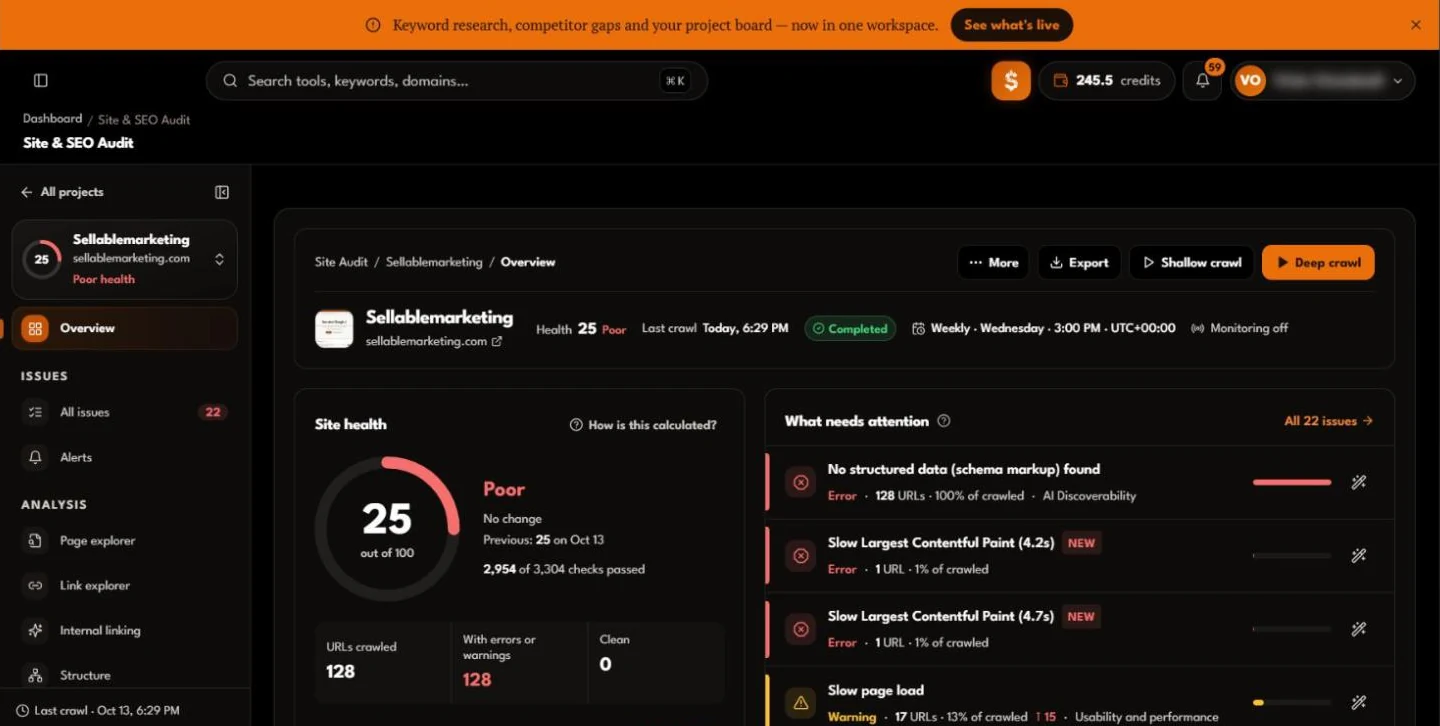
A real crawl report
What you get back: a score, what changed, and where to start.
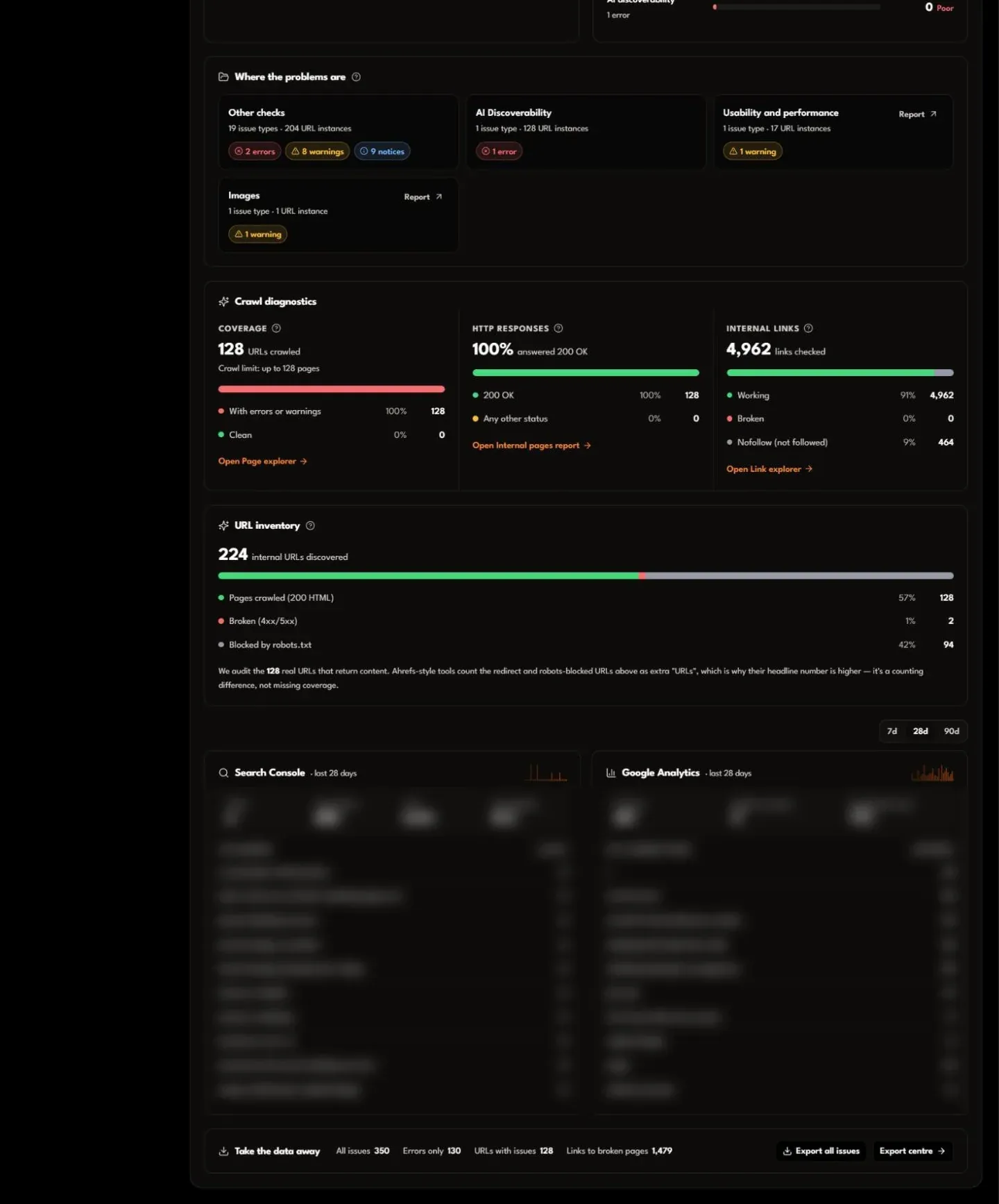
The whole Overview of one crawl of our own website, top to bottom. Nothing here is staged: the score is low because the crawl found real problems, which is what it is for.
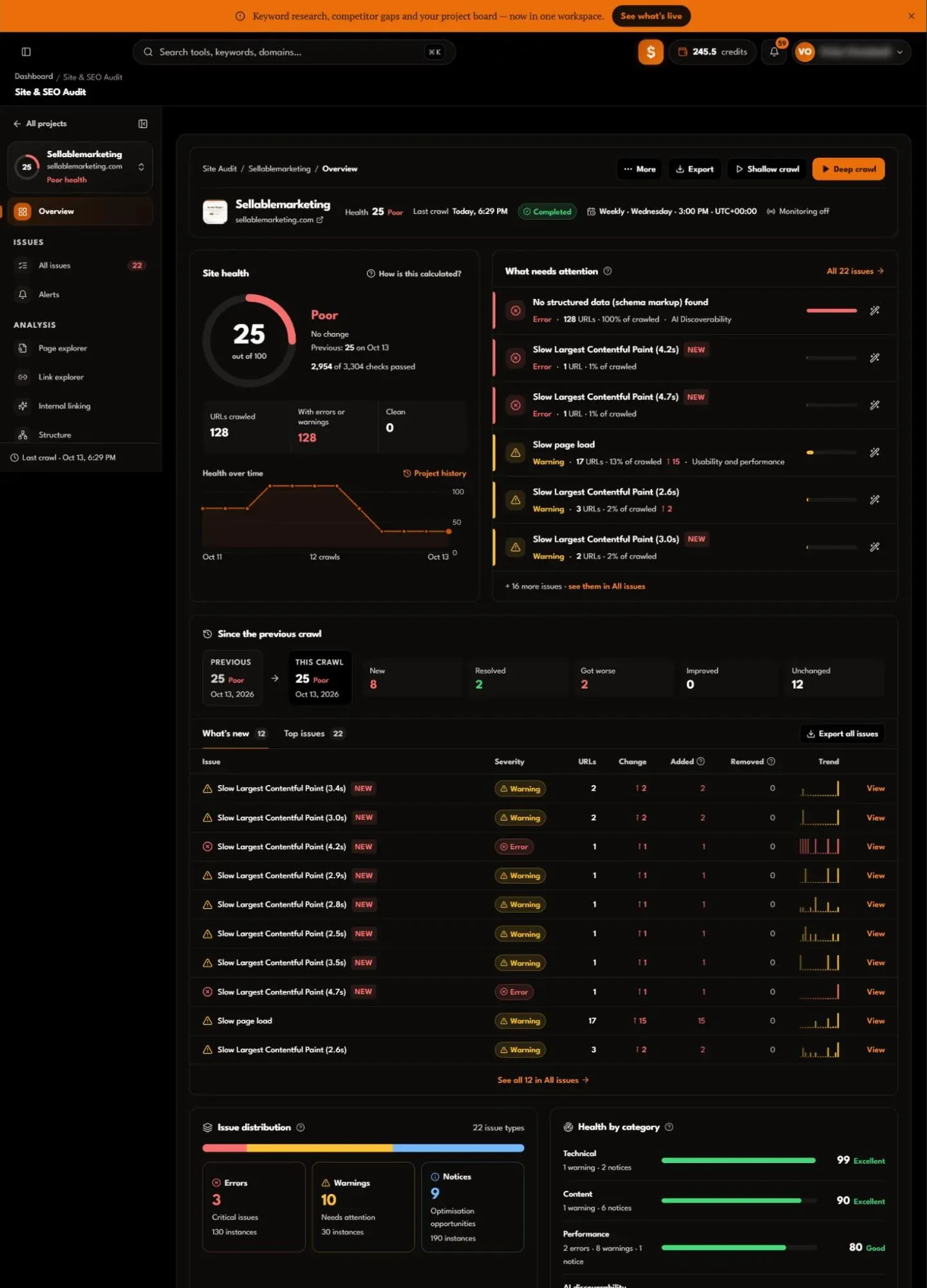
- 1Site healthA score out of 100, the checks passed, and how the score has moved across crawls.
- 2What needs attentionThe issues ranked by severity, each with how many URLs it affects and a fix.
- 3Since the previous crawlWhat is new, resolved, worse or better, issue by issue, with a trend for each.
- 4Distribution and categoriesErrors, warnings and notices, and a health score for technical, content, performance and AI discoverability.
- 5Crawl diagnosticsCoverage, HTTP responses, internal links checked, and every URL discovered, including blocked and broken ones.
- 6Search Console and AnalyticsClicks, impressions and sessions beside the crawl, once connected (blurred here: private data).
From an empty account to a first crawl
Projects for websites you own, set up in four short steps.
Every audit belongs to a project for a website you own. Ownership is verified during setup, or comes with the properties you import from Google Search Console.
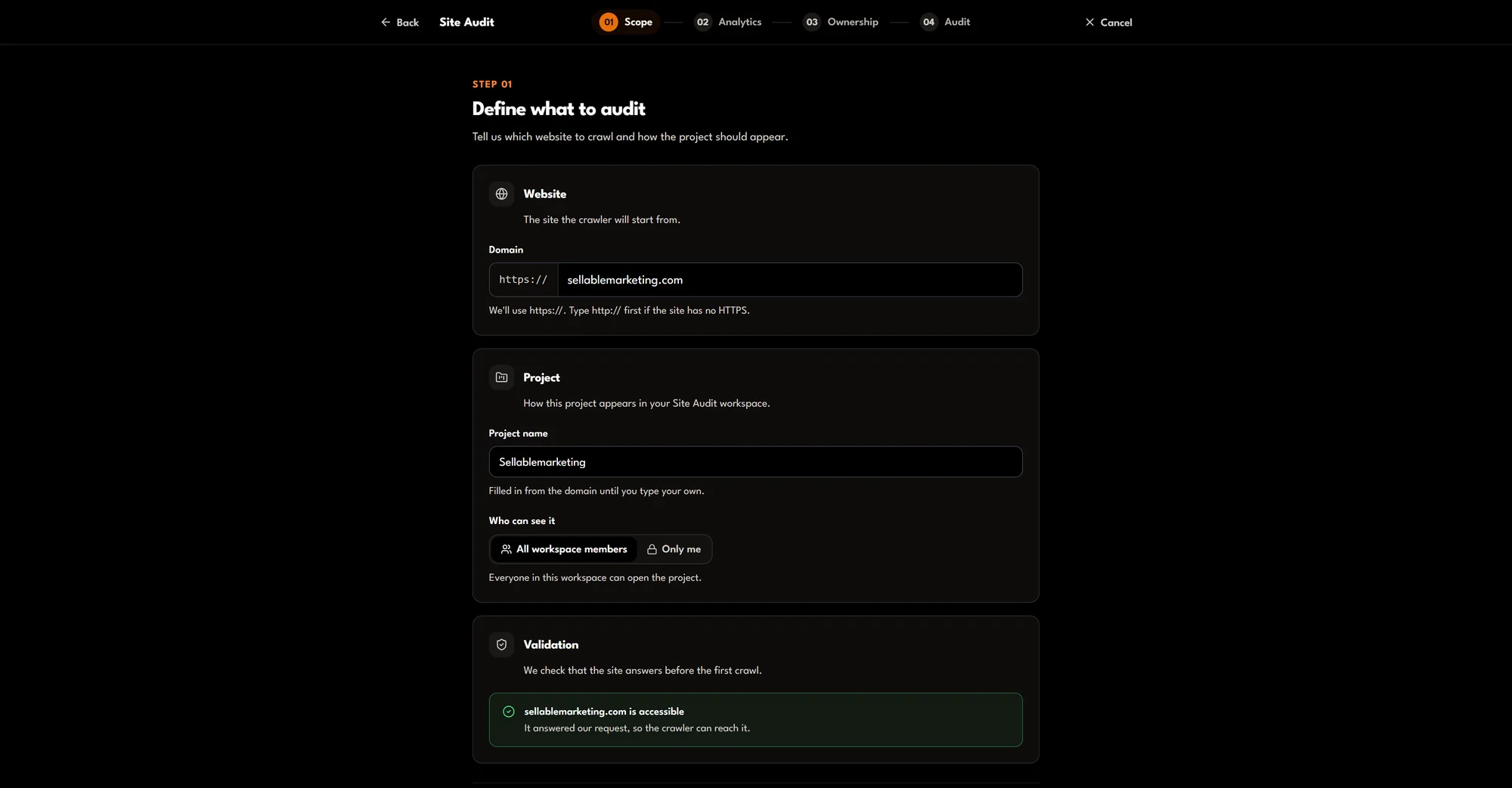
1Scope
The website, the project name and who in the workspace can see it.
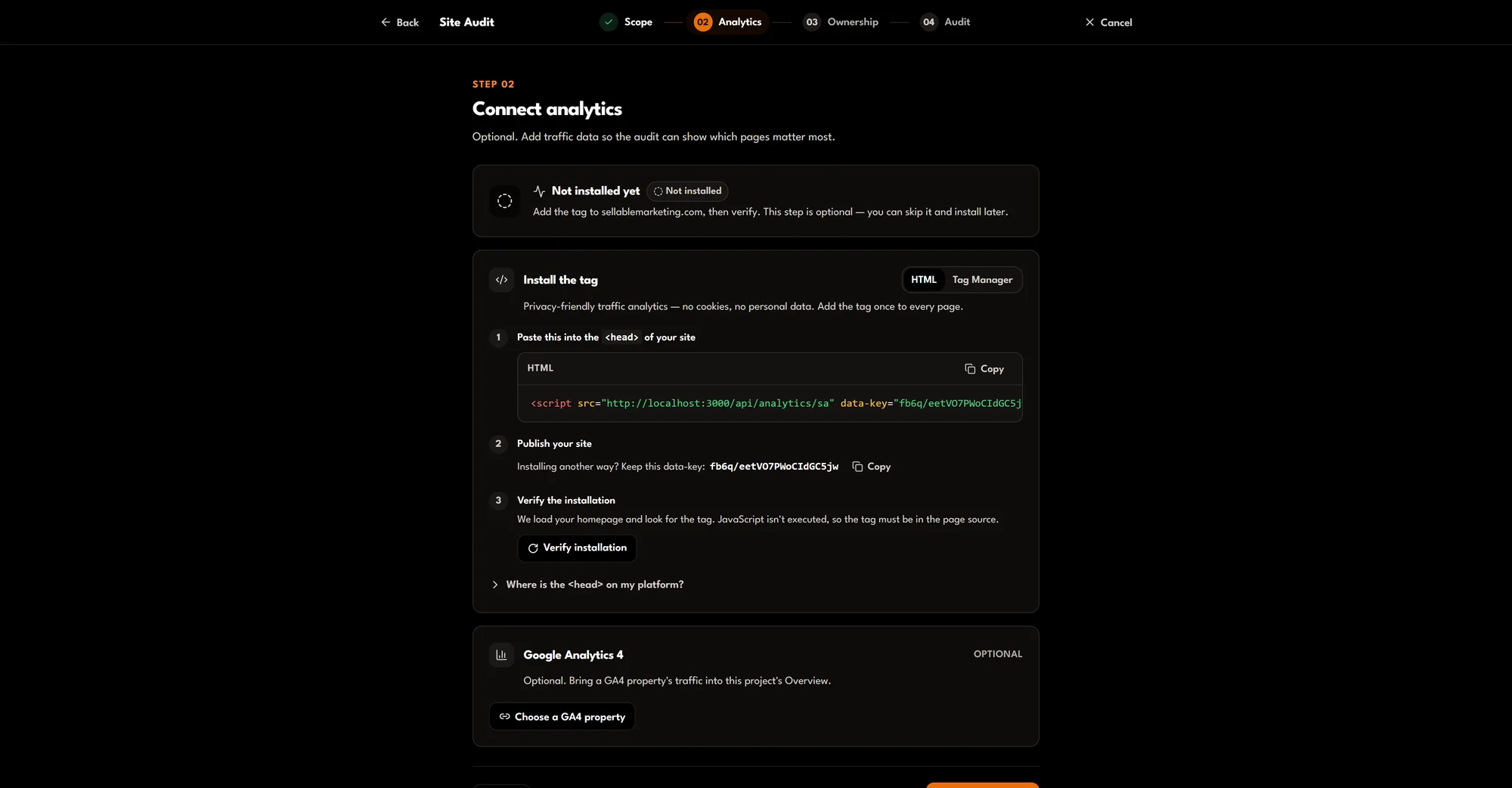
2Analytics
Connect Search Console and Google Analytics, or skip for now.
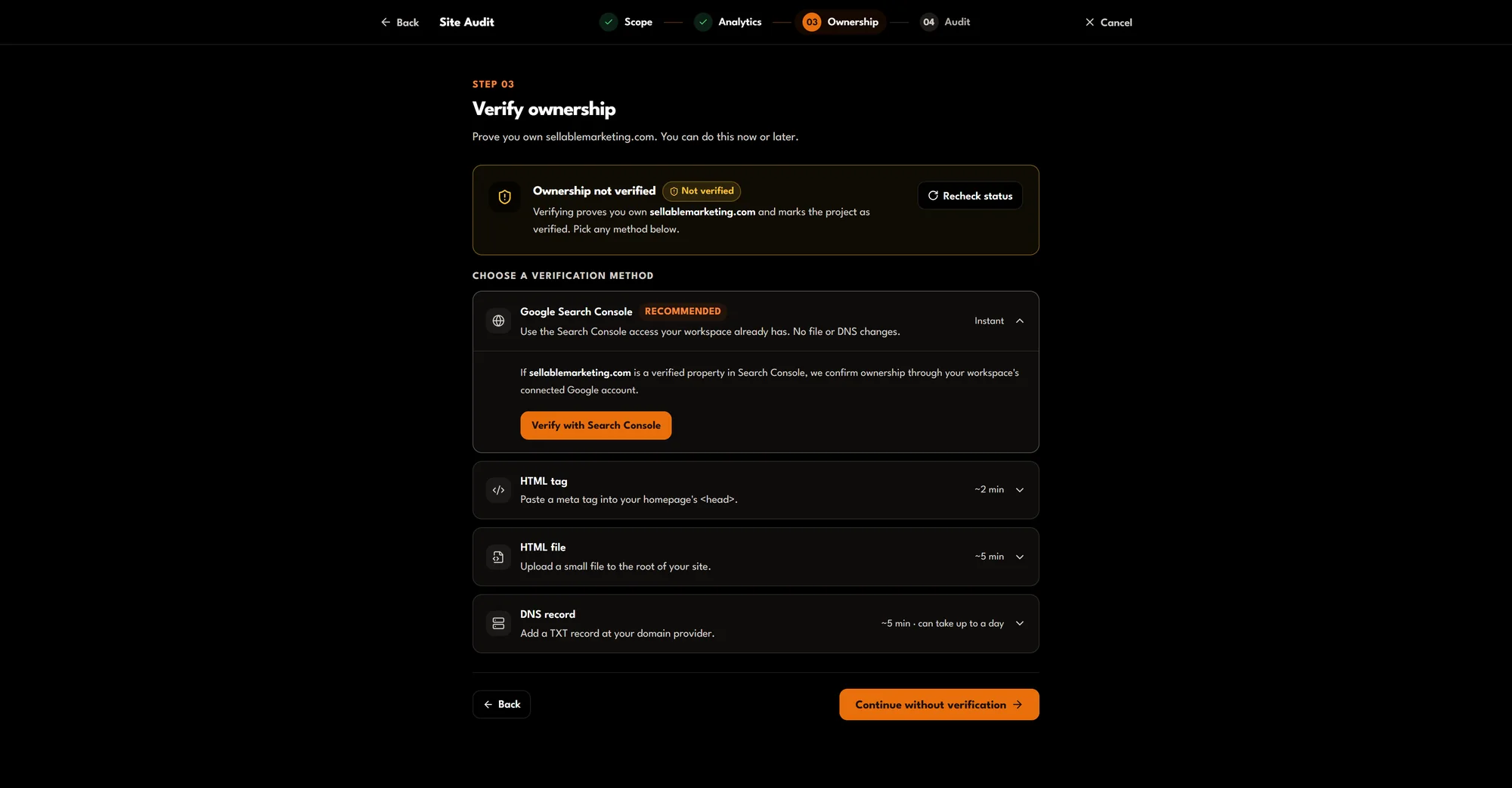
3Ownership
Verify with Search Console, an HTML tag, an HTML file or DNS.
4Audit
Schedule, URL sources and crawl settings, then create the project and start the crawl.
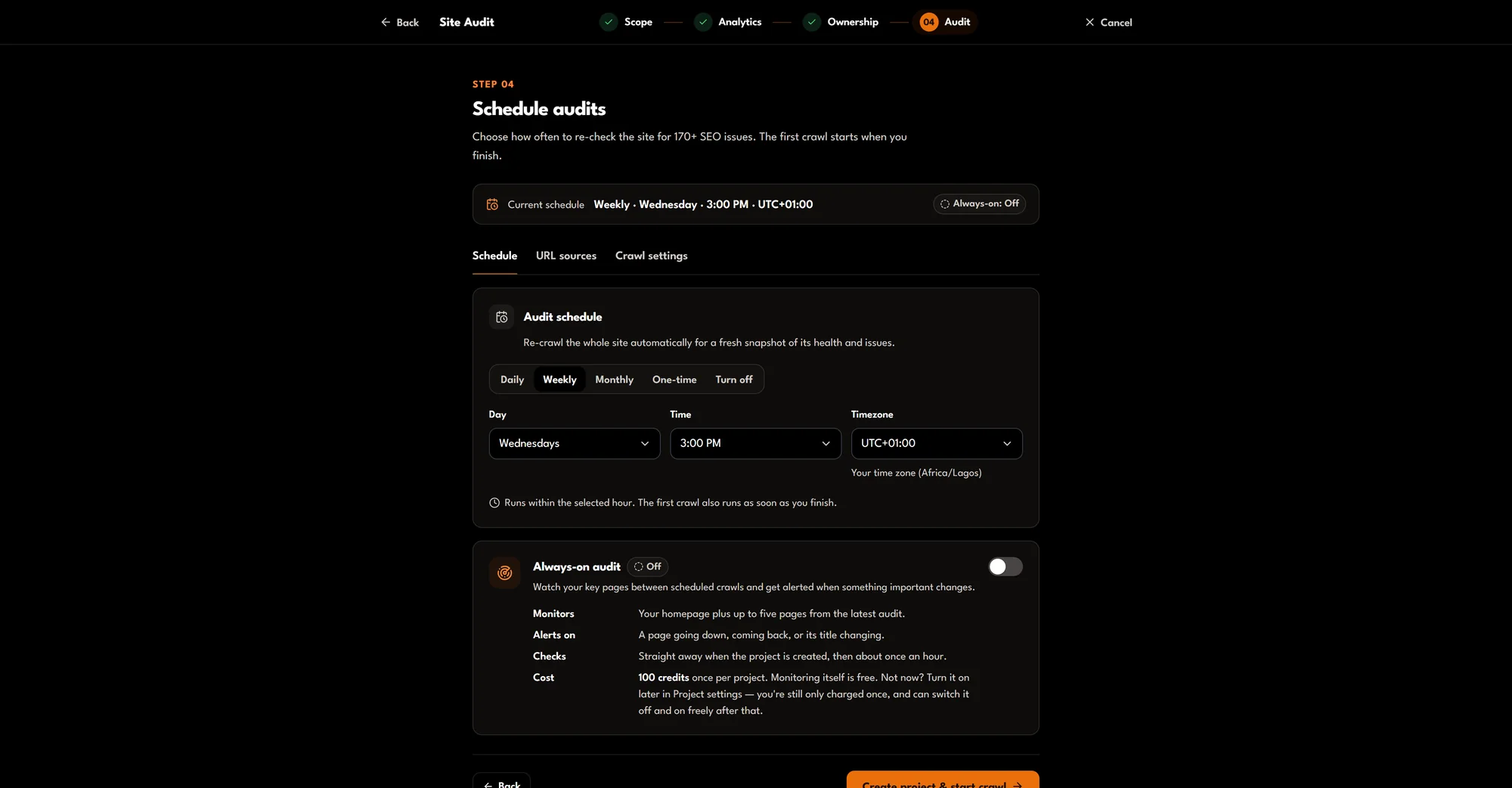
Real dashboard screenshots of the setup wizard, taken before a crawl was started.
What a crawl checks
170+ checks in four categories, each with a fix.
A redirect loop, a canonical tag pointing at a broken page, an orphan page no link reaches: none of these shows up when you look at your site, and all of them cost visibility until someone crawls it. Site & SEO Audit crawls the pages, checks each one and ranks what it finds.
- Severity
- Critical, warning or notice. Critical issues can stop pages being indexed or reached; notices are hygiene.
- SEO impact
- High, medium or low: how much an issue is likely to affect search visibility, separate from how urgent it is.
Technical SEO & Security
- Canonical points to a broken page
- Redirect loop
- Orphan page (no incoming internal links)
- HTTPS page links to HTTP
- Links to redirecting URLs
On-Page Content & Meta
- Title tag too long
- Images missing alt text
- Placeholder (lorem ipsum) text found
Performance & Mobile
- Slow page load
- Page weighs over 3 MB
AI & Schema Structure
- Structured data present but has errors
- Missing OpenGraph tags
A few of the real check names. Each finding is ranked by severity (critical, warning, notice) and SEO impact, and comes with the change that fixes it.
What it costs
Price a crawl before you start it.
Choose how to crawl, how many pages and which add-ons. The same price appears on the button in the dashboard before anything runs.
A full crawl of your site with page rendering, up to the project's page limit (1–5,000 pages, default 1,000).
Your estimate
- Deep Technical Scanmax(20, 1,000 × 0.15)
- 150
This crawl
150credits£15.00
- Charged on pages actually crawled.
- Two projects per workspace are free; each further project is 100 credits a month.
- Saved reports re-open free.
Every Site Audit price
- Deep Technical Scanminimum, then 0.15 credits per page
- 20 credits (£2.00)
- Shallow crawlper crawl (up to 200 pages)
- 10 credits (£1.00)
- Always-on monitoringonce per project (monitoring itself is free)
- 100 credits (£10.00)
- AI content detectionper crawl
- 30 credits (£3.00)
- IndexNow submissiononce per project
- 60 credits (£6.00)
- Crawl behind HTTP authenticationonce per project
- 20 credits (£2.00)
Prices are in credits. £1 buys 10 credits, so 1 credit is 10p. The price is shown on the button before you run anything. Saved reports (Keyword Finder, Keyword Snapshot, Competitor Gap, Content Clusters and Site Audit) re-open free.
Questions
What is the difference between a Deep Technical Scan and a Shallow crawl?
A Deep Technical Scan crawls the site with page rendering, up to the page limit you set for the project (1 to 5,000 pages, 1,000 by default). A Shallow crawl audits up to 200 pages that earn Search Console or Google Analytics traffic, needs a connected Google account, and is cheaper.
Can I audit any website?
Only websites you own: the setup wizard verifies ownership, or imports properties you already manage in Google Search Console.
How is a crawl priced?
A Deep Technical Scan is priced by pages crawled, with a 20-credit minimum. A Shallow crawl is a flat 10 credits. The exact price is shown before you start. Saving more than two sites as projects is 100 credits per project per month.
What it does not do
- A Deep Technical Scan crawls up to the project's page limit (at most 5,000 pages); a Shallow crawl up to 200.
- You can only audit websites you own: ownership is verified during setup.
- A Shallow crawl needs a connected Search Console or Google Analytics account.
- It reports and advises. It does not change your site.