
Workflow and execution
Projects & Tasks
Turn findings into work someone owns.
Turn research findings into assigned tasks on shared project boards, with an owner, a status and a date.
Free to start · paid actions from 2 credits
1Find
A keyword worth a page, in Keyword Finder.
2Send
One click makes it a task, with the data attached.
3Own
An owner, a date and a status on the board.
From Keyword Finder
content marketing service
8,100 searches a month · KD 18%
Became a task
Write a “content marketing services” page
HighDue Oct 16In progress
Five views of the same tasks
A list of gaps or broken pages changes nothing until someone owns each item and has a date for it. Projects & Tasks takes findings straight from the research tools and puts them on a board your team already works from.
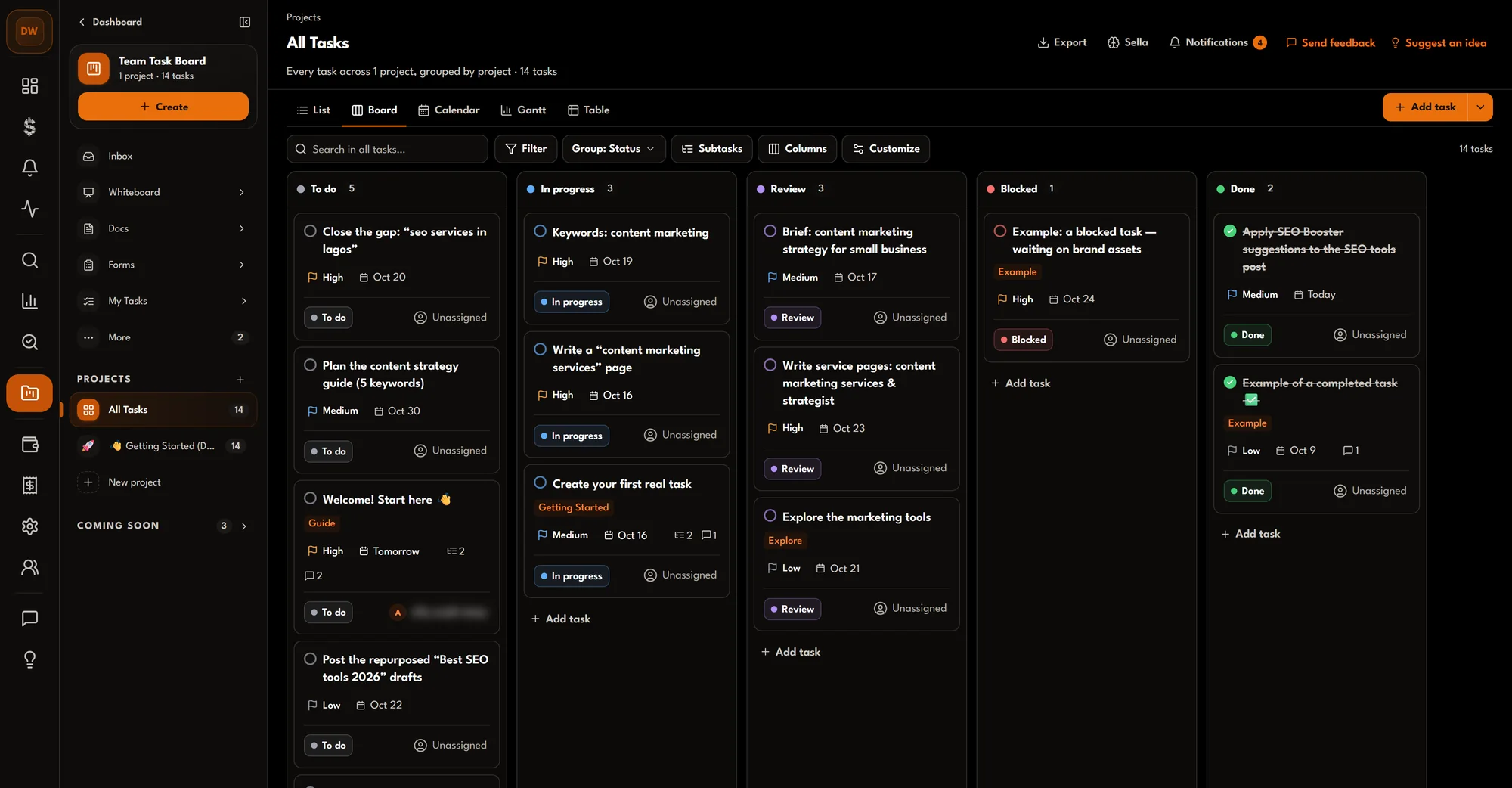
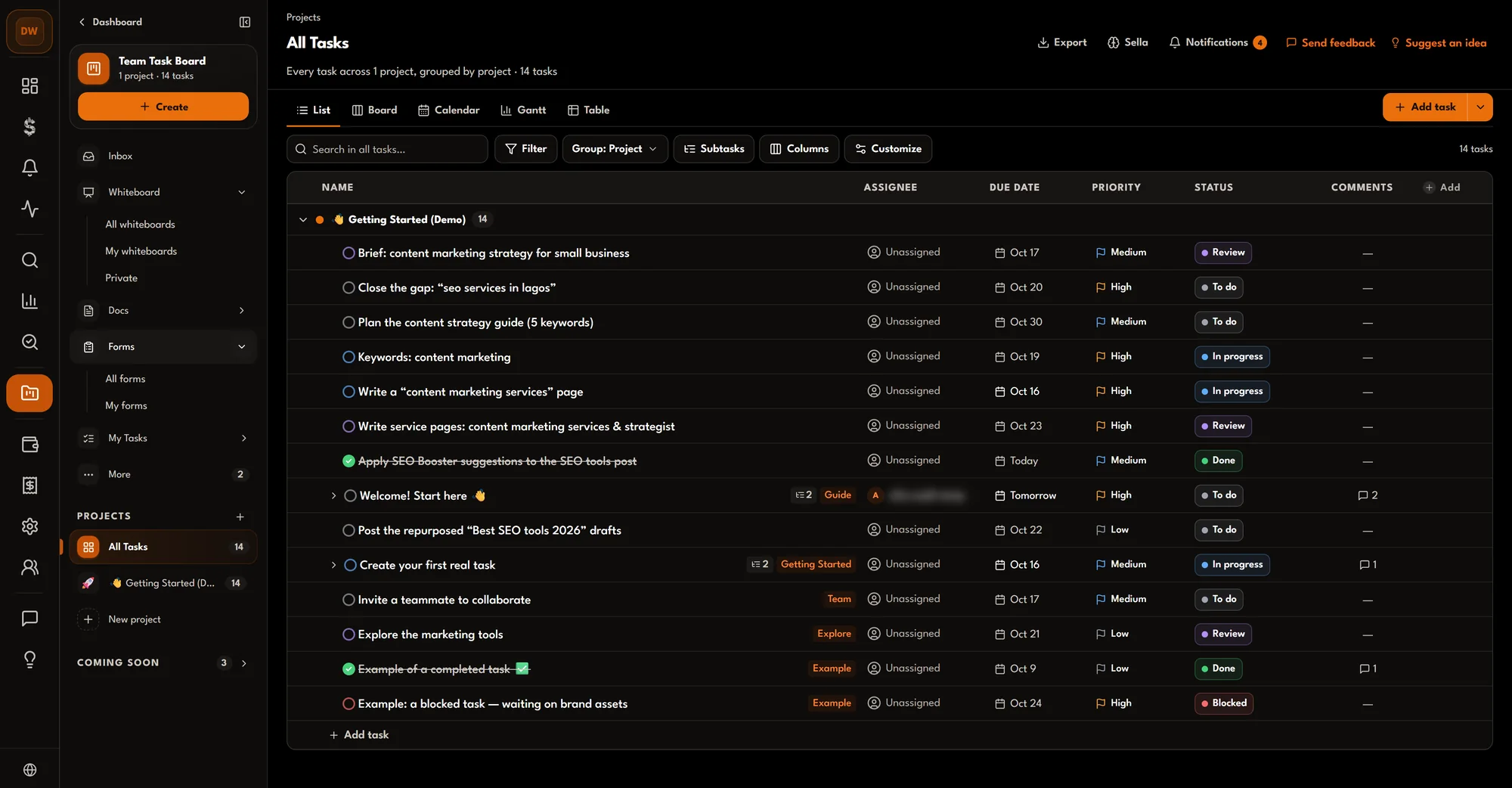
Tasks grouped by project with assignee, due date, priority, status and comments.
Inside a task
Research becomes tasks
Send a finding, get a task with an owner.
Findings arrive carrying where they came from. Sending several at once is 5 credits a send.
- Keyword Finder2 credits a finding
- Keyword Snapshot2 credits a finding
- Competitor Gap2 credits a finding
- Site & SEO AuditFree
- Views
- The same tasks as a list, a board, a calendar, a Gantt chart or a table.
- Task fields
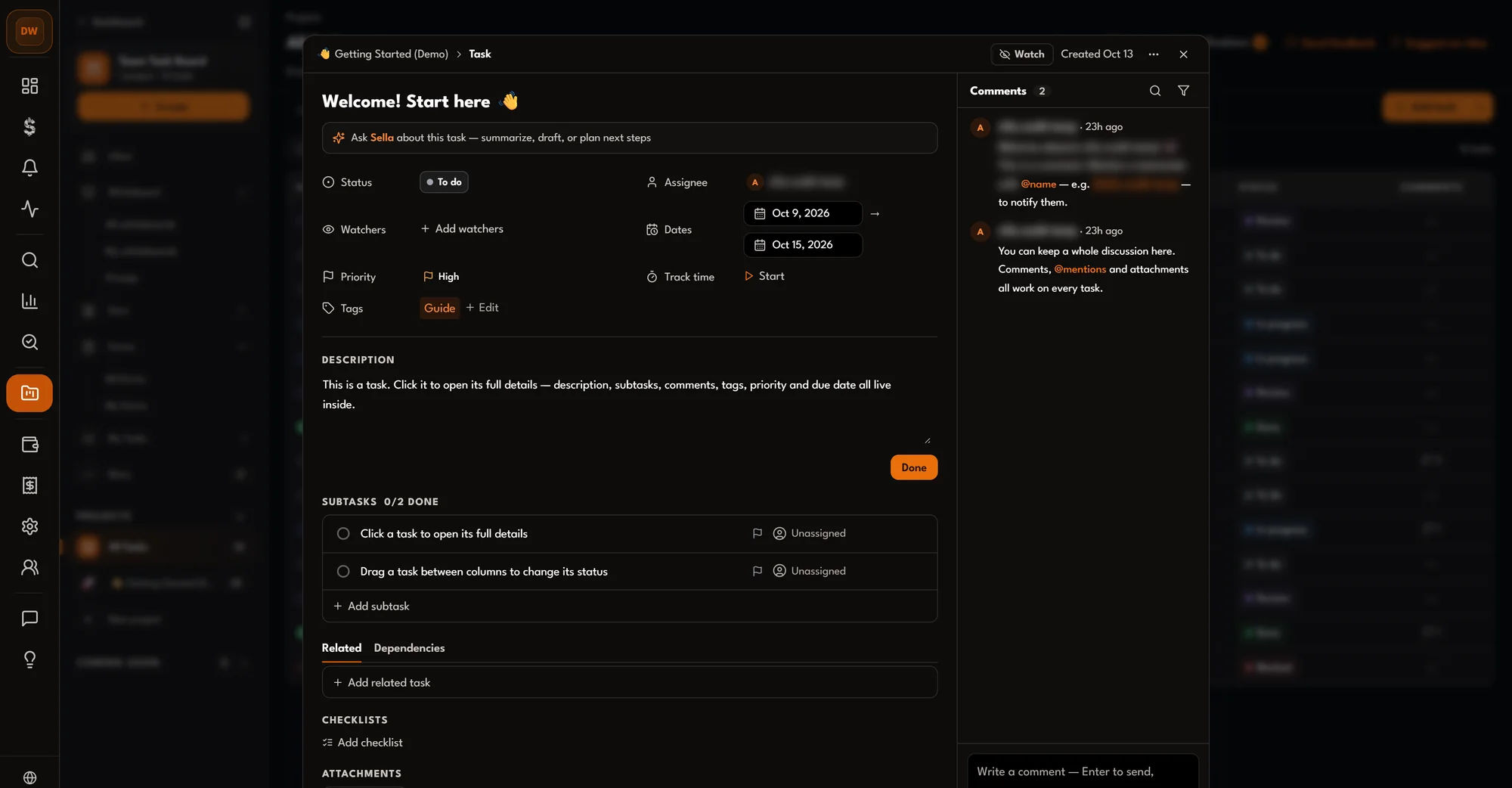
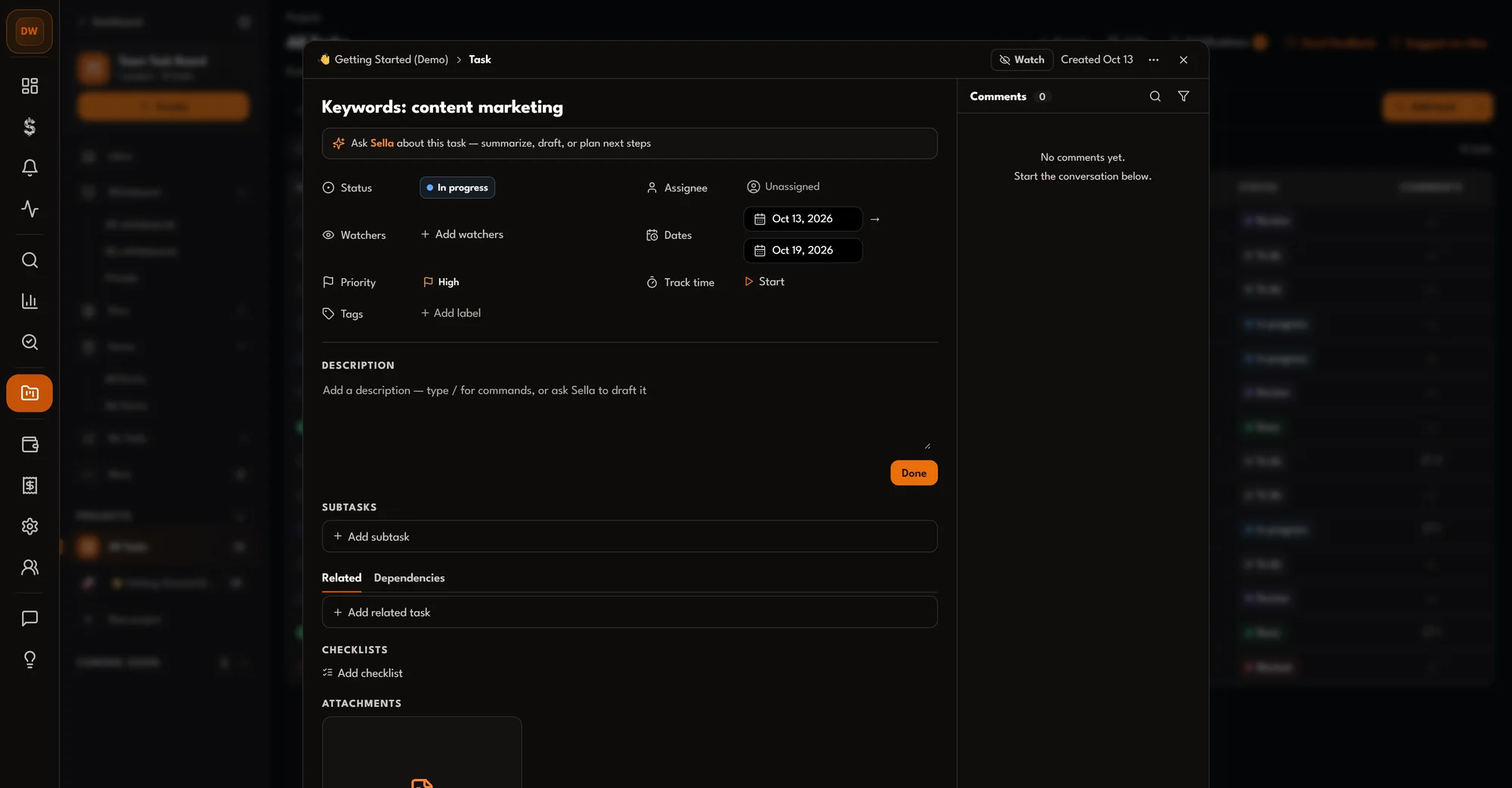
- An assignee, a status, a priority and dates on every task.
- Sent findings
- A task created from a research tool, carrying the finding it came from.
The create-project dialog shows how many of your two free projects are left; after that each project is 50 credits a month.
What it costs
- FreeTwo projects per workspace
- FreeSending Site Audit findings
- Each additional projectper month, per project
- 50 credits (£5.00)
- Send a finding to a projectper finding
- 2 credits (£0.20)
- Send several findings at onceper send
- 5 credits (£0.50)
Prices are in credits. £1 buys 10 credits, so 1 credit is 10p. The price is shown on the button before you run anything. Saved reports (Keyword Finder, Keyword Snapshot, Competitor Gap, Content Clusters and Site Audit) re-open free.
Questions
How many projects are free?
Two projects per workspace. Each further project is 50 credits a month, charged per project.
Which views are there?
List, board, calendar, Gantt and table: five views of the same tasks. The board can be grouped by status or by project.
How do findings become tasks?
Send them from Keyword Finder, Keyword Snapshot, Competitor Gap or Site Audit. One finding is 2 credits and several at once are 5 credits a send; Site Audit findings are free. The task carries the data it came from.
What can a task hold?
An assignee, status, priority, start and due dates, tags and a description, plus subtasks, checklists, attachments, comments, watchers and time tracking.
What it does not do
- It tracks the work; it does not do it. Fixes still happen in your site, CMS or code.
- Findings arrive from four research tools: Keyword Finder, Keyword Snapshot, Competitor Gap and Site Audit.