
Content planning
Content Clusters
See your subject as a map of topics, not a list of keywords.
Turn a domain, a few seed keywords or your own keyword list into topic clusters you can build content around.
From 6 credits · price shown on the button before you run
Without grouping, teams write several pages that compete for the same searches, and miss the supporting pages a topic needs. Content Clusters groups keywords that belong together, so each cluster becomes one page or one group of linked pages.
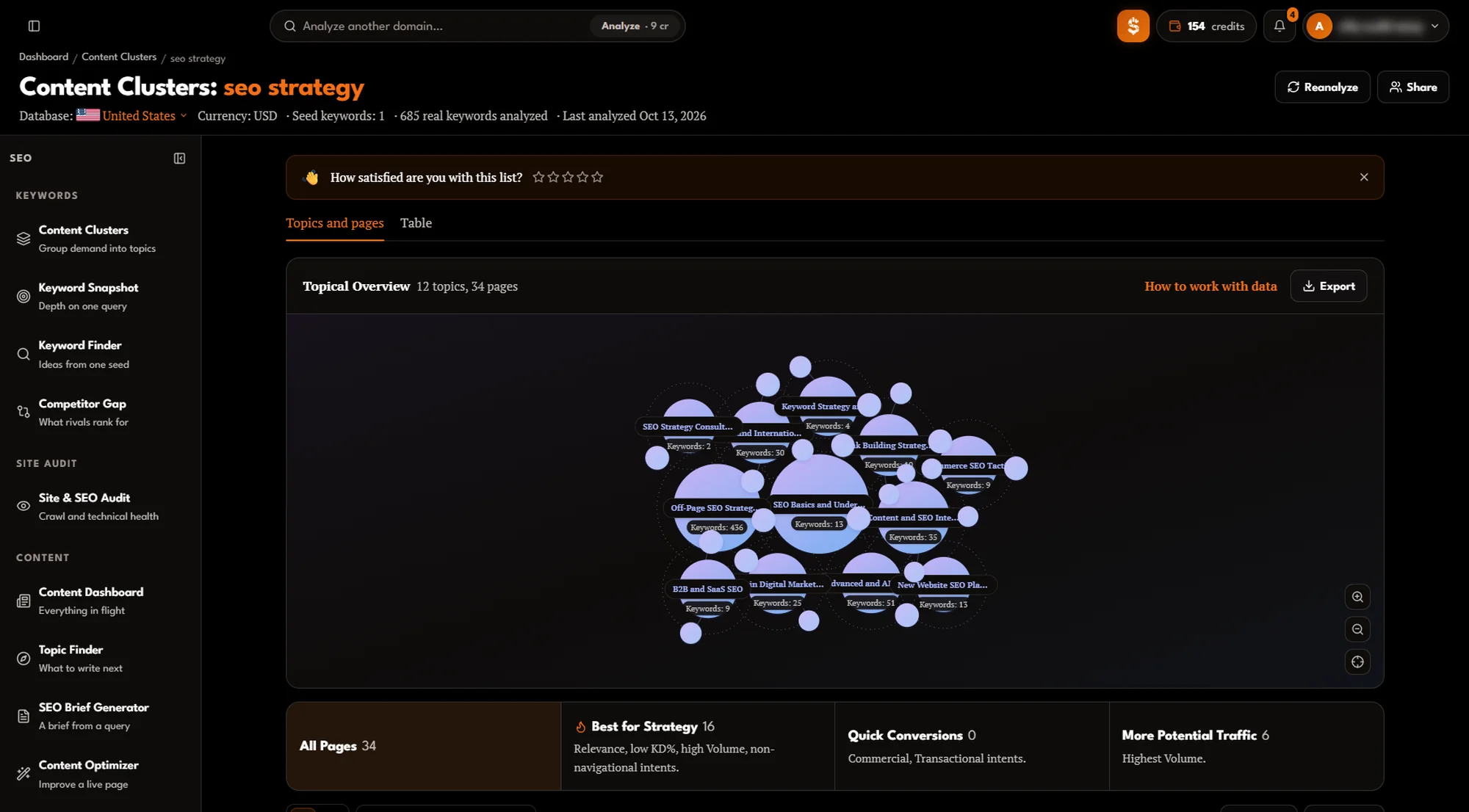
From map to pages
Each topic becomes a pillar page and its subpages.
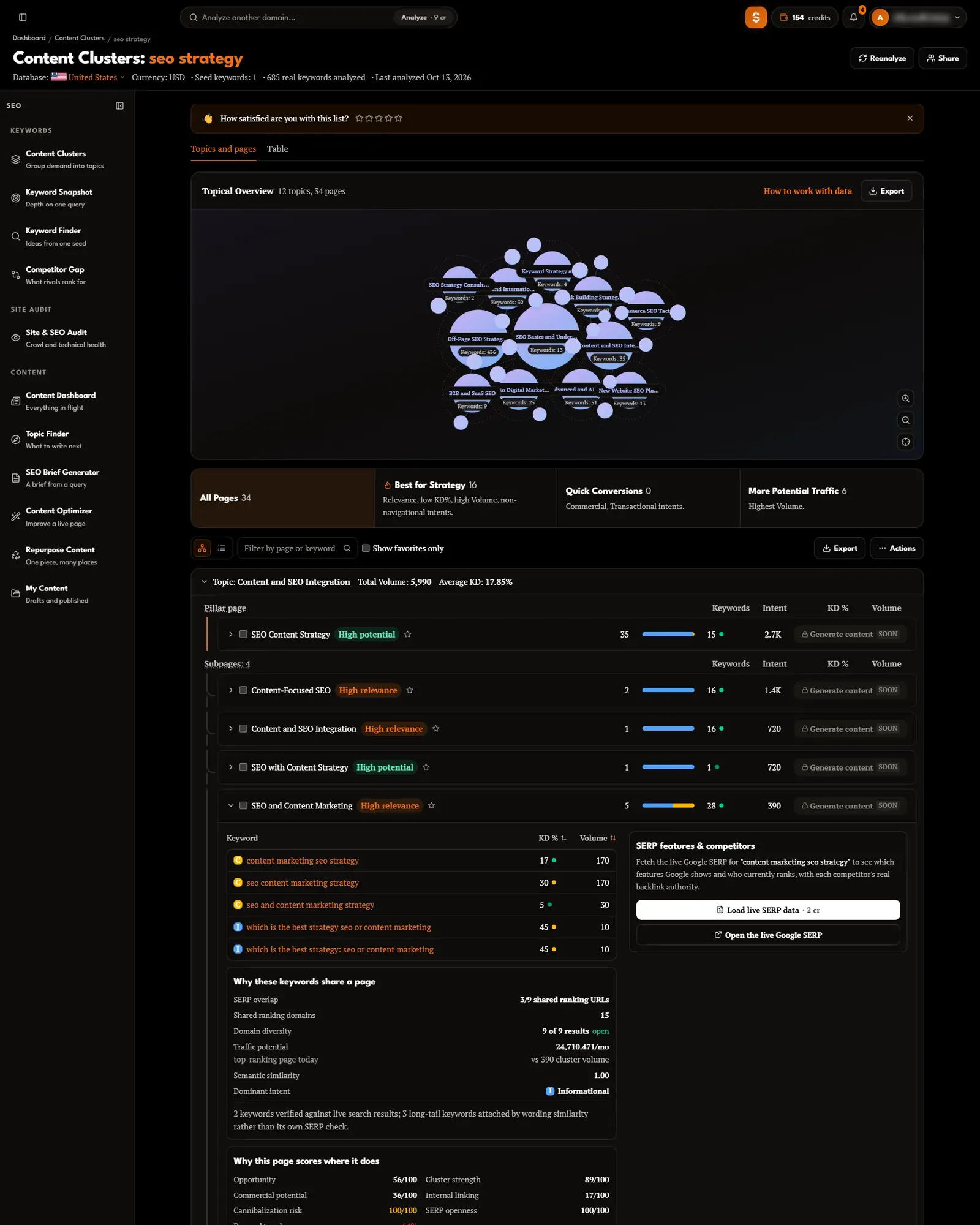
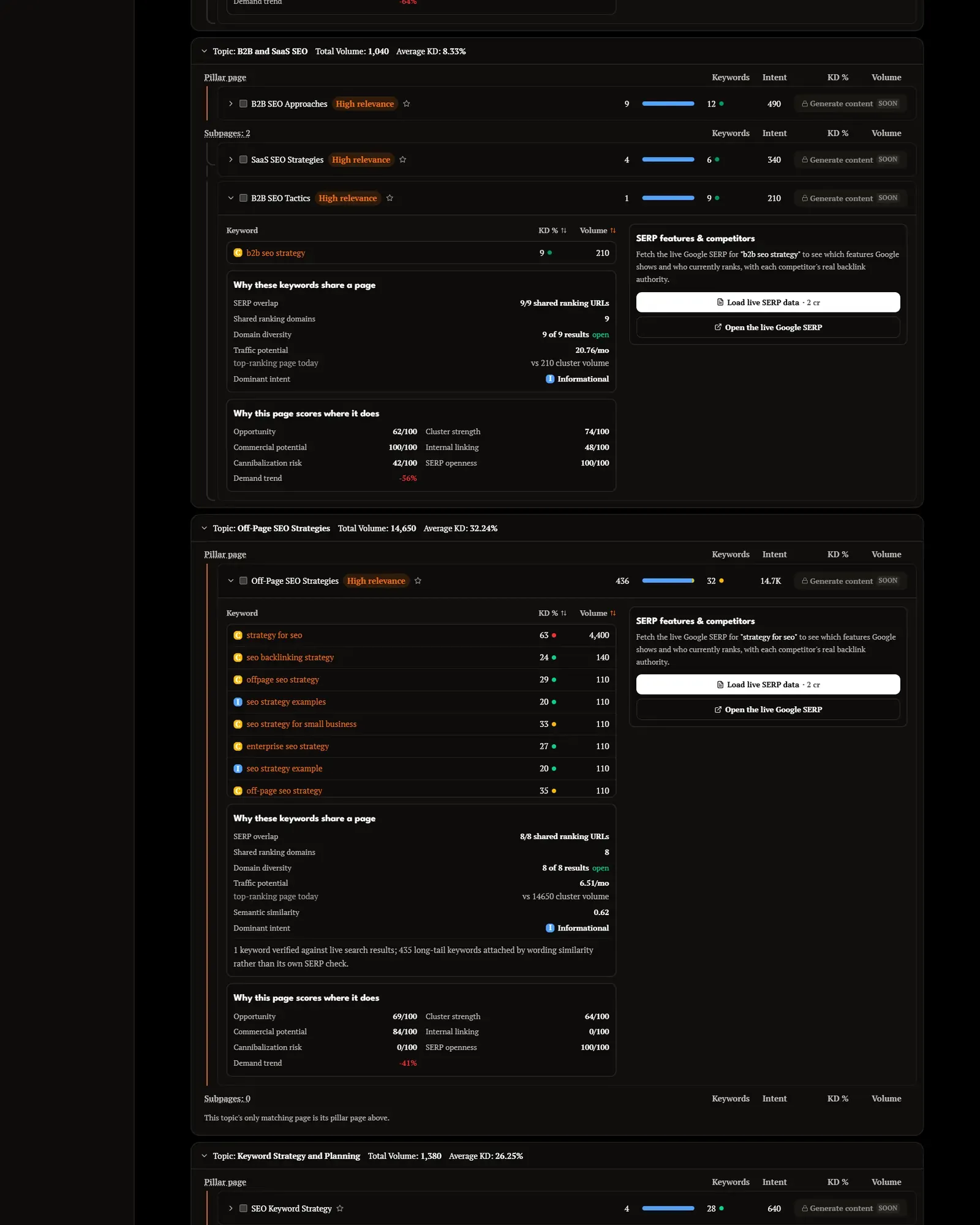
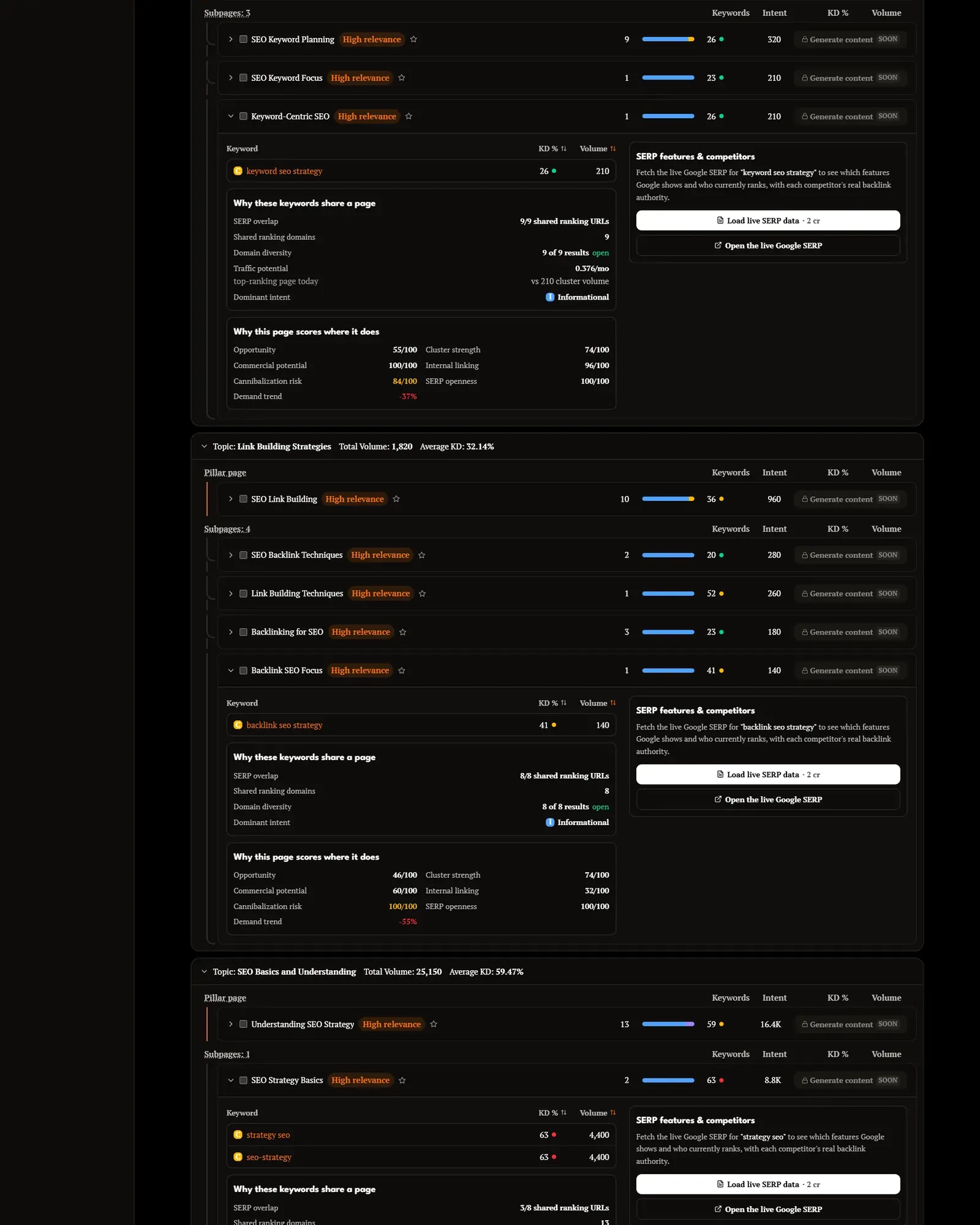
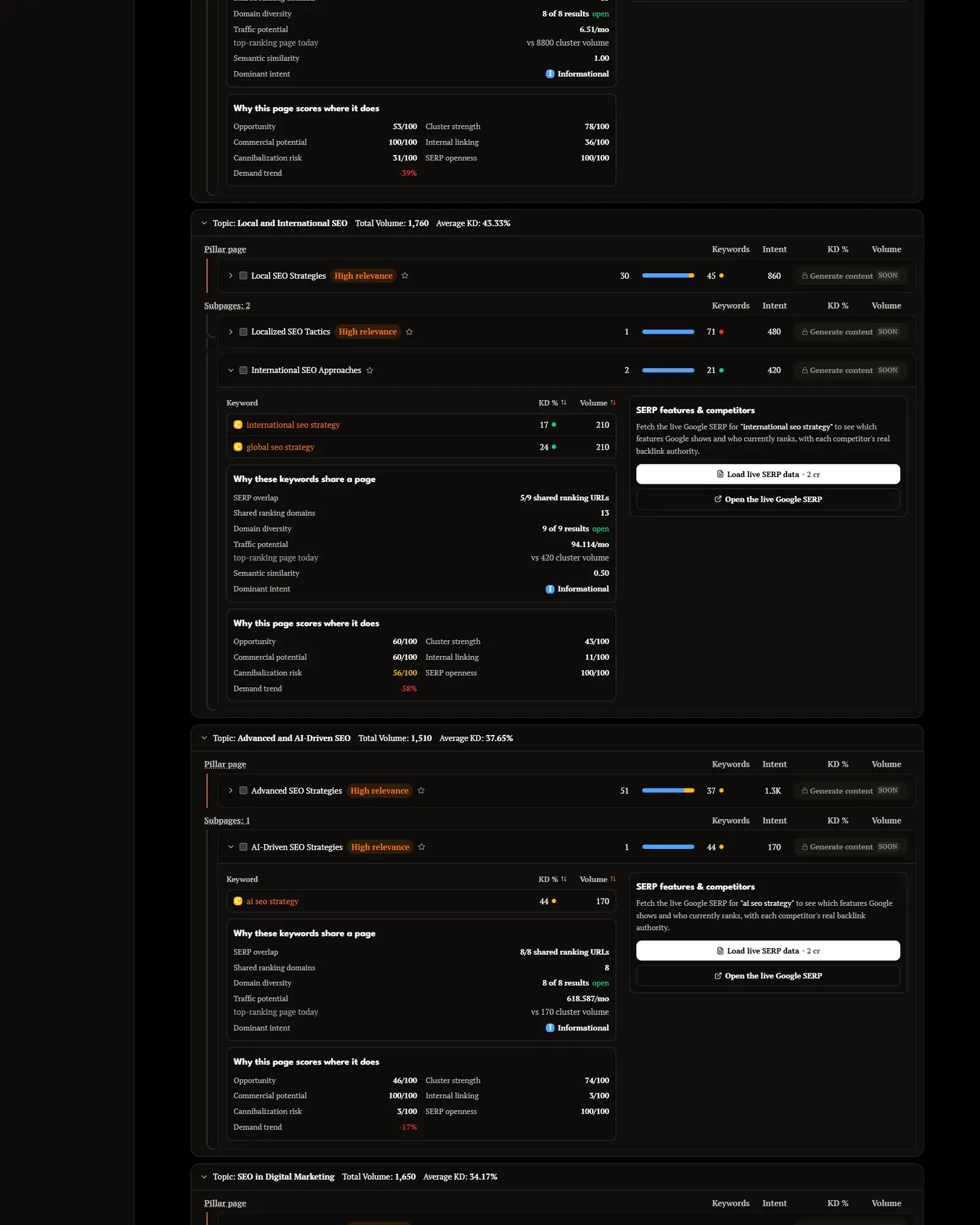
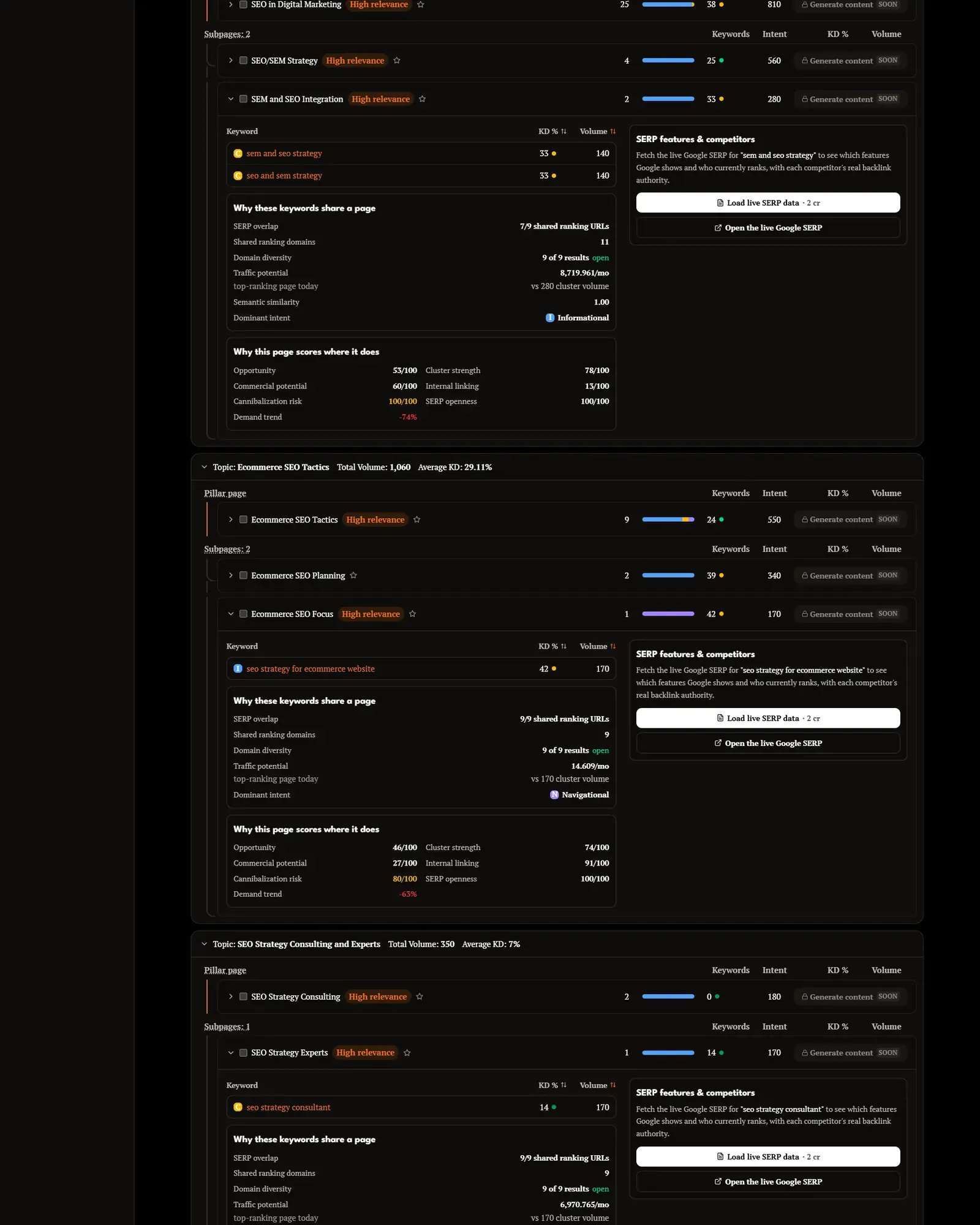
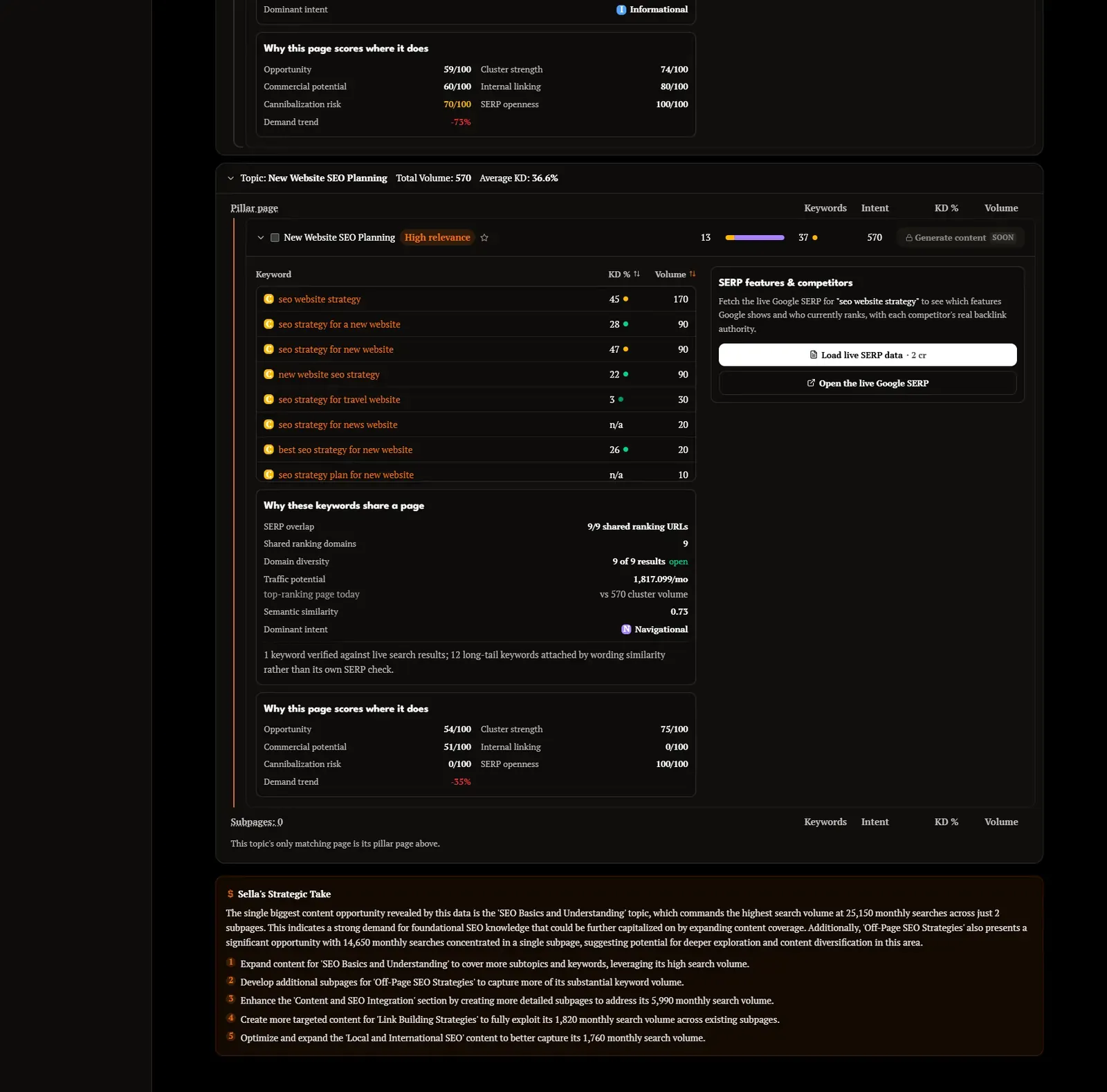
- 1Pillar pageThe main page for a topic, with the keywords it should rank for. The report marks high-potential pages.
- 2SubpagesSupporting pages for the same topic, each with its own keywords — link them to the pillar page.
- 3Topic totalsCombined volume and average keyword difficulty, so topics can be compared and prioritised.
- 4Per-page numbersKeyword count, intent, difficulty and volume for every page in the plan.
- 5Topical overviewThe map of topics and pages at the top, with strategy filters (best for strategy, quick conversions, more traffic).
Three ways in
Start from whatever you already have.
- A domainStart from a site and cluster the keywords around it.9 credits per analysis
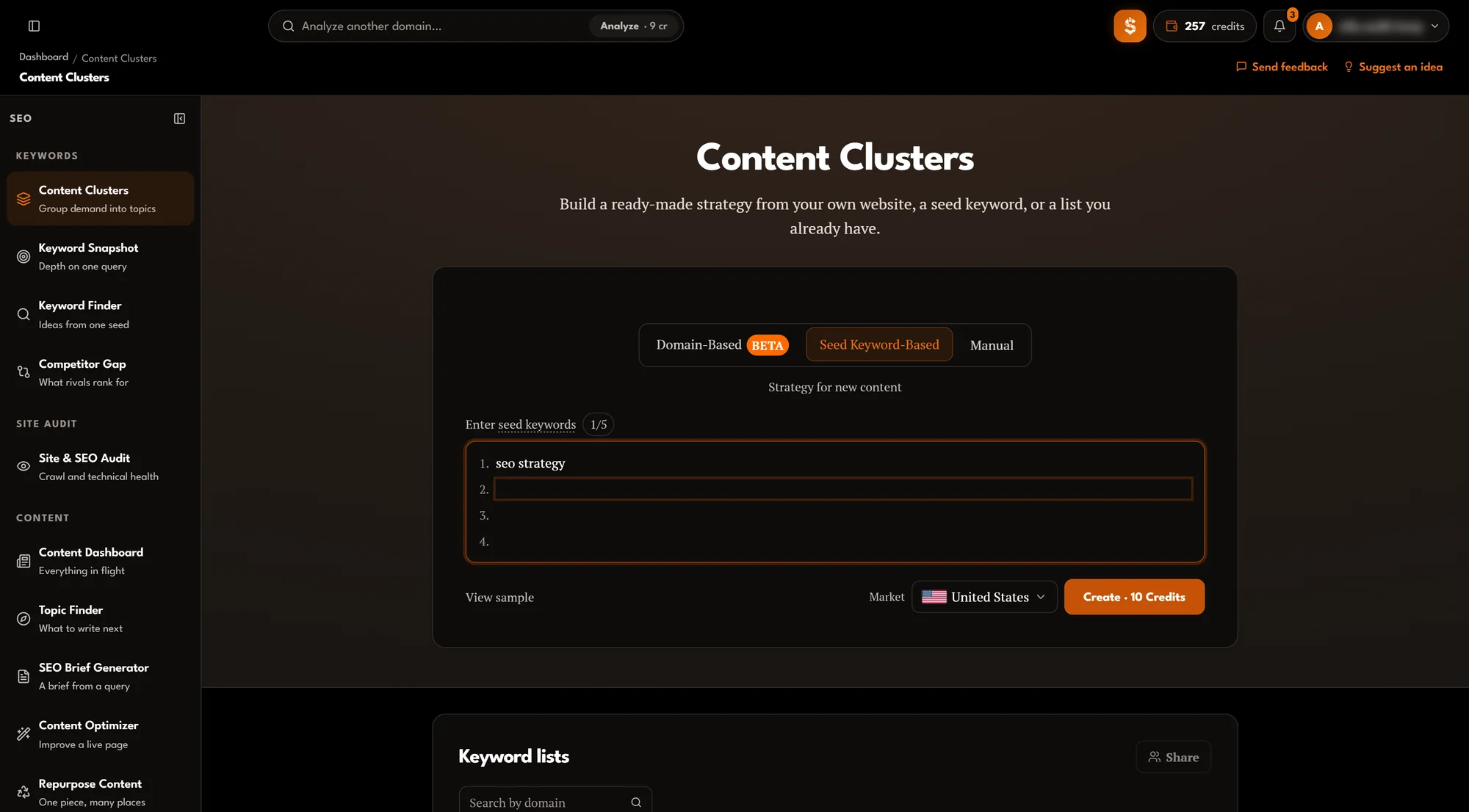
- One to five seed keywordsStart from the subjects you want to cover.10 credits per analysis
- Your own listPaste up to 1,000 keywords you already have.6 credits per list
Turning clusters into a site
One topic, drawn as the pages it becomes.
A real topic from the report above: “Content and SEO Integration”, 5,990 searches a month at an average difficulty of 17.85%. The pillar page takes the broad searches; each subpage takes one narrower need and links back.
Your subject: seo strategy
Pillar page
SEO Content Strategy
35 keywords · KD 15% · 2.7K searches a month
Content-Focused SEO
KD 16% · 1.4K/mo
links to the pillar
Content and SEO Integration
KD 16% · 720/mo
links to the pillar
SEO with Content Strategy
KD 1% · 720/mo
links to the pillar
SEO and Content Marketing
KD 28% · 390/mo
links to the pillar
- searches a month
- 5,990
- searches a month
- average difficulty
- 17.85%
- average difficulty
- pages: 1 pillar, 4 subpages
- 5
- pages: 1 pillar, 4 subpages
- keywords placed
- 44
- keywords placed
Build it in this order
One page per cluster
One page per cluster, so your own pages stop competing with each other.
Strongest topics first
Which clusters to build first, from their combined demand.
Link hub, pillars and subpages
How to link pages: a hub page for the subject, linking to each cluster page.
Brief each page
Content Clusters plans the pages; it does not write them. Brief each one before writing.
Brief a page with SEO Brief Generator
Optional extras
- Search results panelper page
- 2 credits (£0.20)
- Refresh metricsper refresh
- 3 credits (£0.30)
What it does not do
- It does not write the pages. Brief each cluster with SEO Brief Generator.
- Metrics are a snapshot. Refreshing them is a separate, priced action.
- Sharing is by email, with up to 25 people per cluster set.
Questions
What can I start a cluster from?
A domain, one to five seed keywords, or a list of up to 1,000 keywords you already have.
Can I share clusters with my team?
Yes. A cluster set can be shared with up to 25 people by email.
How is a cluster set priced?
By how you start it: from a domain, from seed keywords or from your own list each have their own price, shown on the Create button before you run it. Opening a saved cluster set again is free.
What are the optional extras?
A search results panel for any cluster, opened on demand to see what ranks for it now, and a metrics refresh to bring a saved set up to date. Each is priced per use.
Does it write the pages?
No. It plans them: each cluster becomes one page or a pillar page with subpages. Brief each page with SEO Brief Generator before writing.